

Anomalo Announces Gemini CLI Extension: Data Quality Intelligence Meets AI-Enabled Development
December 9, 2025
A new way to build and debug with confidence
Whether you’re analyzing business metrics or managing complex data workflows, one truth remains: data quality issues slow everything down. Data teams and analytics practitioners leverage command line tools to deploy code, monitor pipelines, and troubleshoot data issues. But verifying that data is actually correct before and after each change still takes too much time. It often means jumping between tools, writing ad hoc SQL, or waiting for scheduled jobs to run.
That’s why we’re bringing Anomalo’s data quality intelligence directly into Google’s Gemini CLI, an open-source AI agent that brings the power of Gemini directly into your terminal. With Anomalo’s Gemini CLI extension, you can ask natural language questions about your data and data quality, and instantly understand the health of your data quality right from your terminal.
Integrating with Google to make AI-powered data quality seamless
Google’s Gemini CLI has quickly become one of the most popular open-source AI developer tools, with over 82,000 stars on GitHub. It gives developers a conversational interface to their workflow, connecting AI directly to the tools they use every day.
Anomalo is extending this experience to data quality with the new Anomalo Gemini CLI extension that connects Gemini directly to your Anomalo instance via the Model Context Protocol (MCP), a GenAI-native way for agents to understand and to act on enterprise data quality information.
This integration lets developers bring Anomalo’s intelligence into any AI-driven workflow, without leaving the command line.
What you can do with the Anomalo Gemini CLI Extension
With the Anomalo extension, you can use simple conversational prompts to:
- Check data quality instantly:
“Which of my tables failed data quality checks today?” - Understand your data:
“Tell me about the contents of the customers table.” - Run pre-deployment verification:
“Before merging this pull request, run checks on affected tables to verify that my pipeline changes didn’t break any data checks.” - Investigate and explain failures:
“Explain what caused the customer matching check to fail in plain language.”
Gemini connects to Anomalo, retrieves the relevant table and check info, and summarizes root causes. It even suggests where the data may have drifted or mismatched across systems. It’s a fast, intuitive way to validate data integrity as you build.
How it works
Under the hood, the integration uses an MCP server for Anomalo data, which acts as a bridge between Gemini and your Anomalo instance.
Instead of simply wrapping our REST API, we’ve exposed curated tools optimized for AI agents, each focused on a specific task like “get failing checks” or “describe data quality issues.” This design helps deliver faster, more accurate responses that are also easier to interpret.
The extension works securely with your existing Anomalo authentication and supports multiple cloud data warehouses, including BigQuery, Google’s autonomous data to AI platform, Databricks, and Snowflake, through your existing Anomalo data connection.
Enterprise-grade security and access controls
The Anomalo Gemini CLI extension respects all existing role-based access controls (RBAC) and permissions within your Anomalo environment.
Gemini can only access metadata and data quality summaries for which the authenticated user already has permissions to secure raw or sensitive data. When the extension references failing records, it provides secure links that still require Anomalo login, ensuring no enterprise data is ever exposed outside your controlled environment.
In other words, Gemini sees what you see, nothing more.
Why this matters
- For data engineers: Run quality checks as part of your natural development loop.
- For AI developers: Bring trusted data into your AI workflows, copilots, and agents.
- For enterprises: See how data quality can be an intelligent, conversational layer in your engineering stack, rather than just a dashboard you check later.
This is one step toward a broader vision: AI assistants that not only code and deploy, but also validate and trust the data behind every decision.
Getting started
The Gemini CLI extension for Anomalo is now available through Anomalo Labs on GitHub.
To try it out:
1) Install the Anomalo extension:
gemini extensions install https://github.com/datagravity-ai/anomalo-gemini-extension2) Set ANOMALO_INSTANCE_HOST and ANOMALO_API_SECRET_TOKEN in your environment
3) Launch Gemini
gemini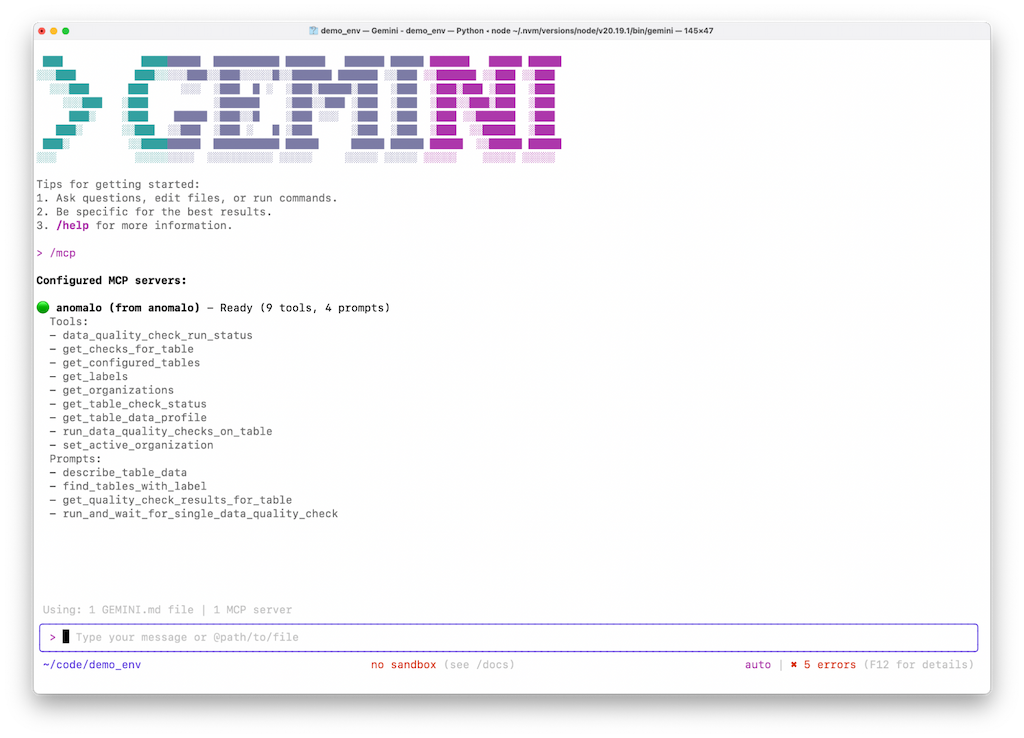 Configuring the Anomalo data quality extension for Gemini CLI
4) Confirm `anomalo` is in the list of available MCP servers
/mcp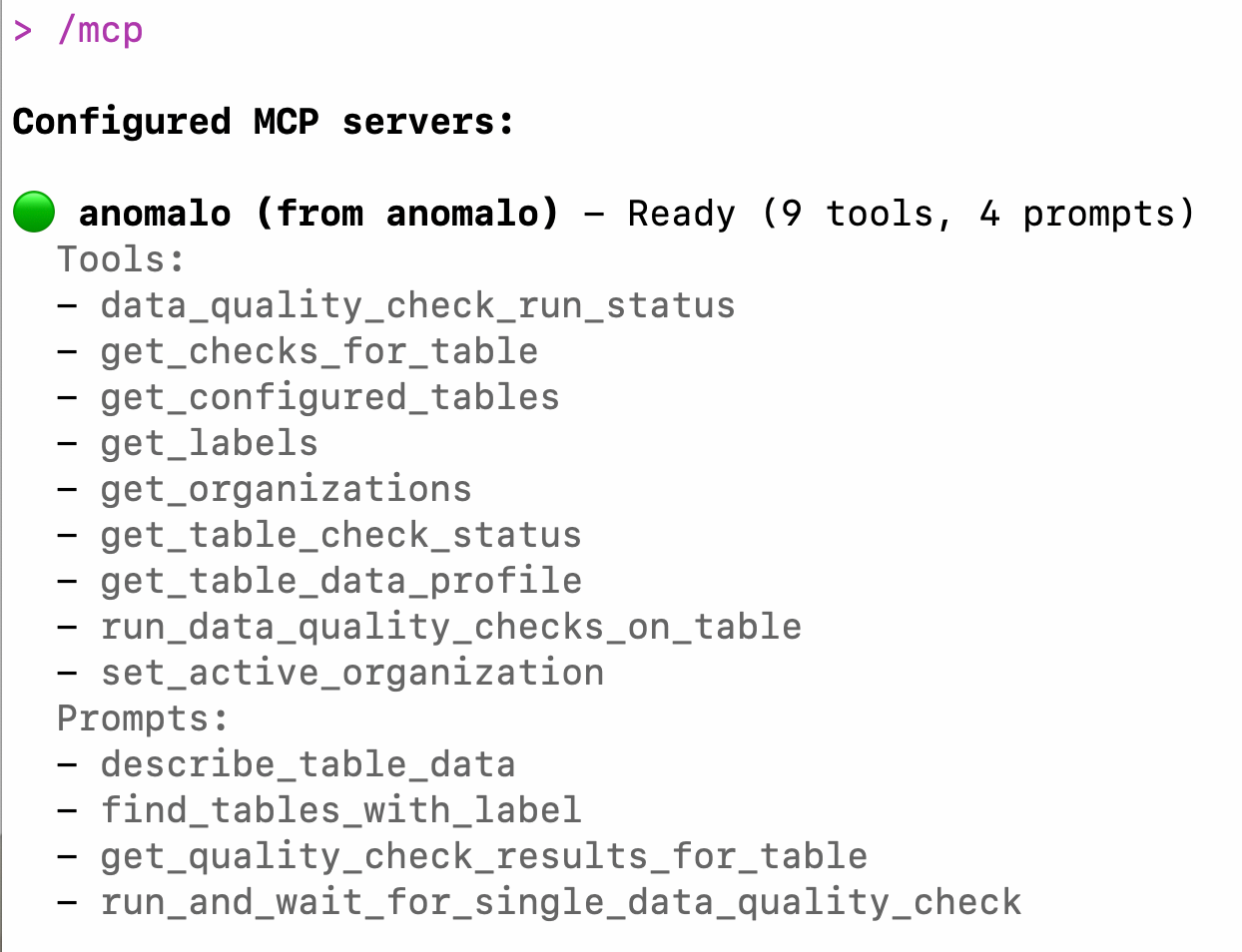
Sample list of tools and prompts available through the Anomalo data quality extension for the Gemini CLI
5) Start chatting:
"Explain the most recent quality check failure"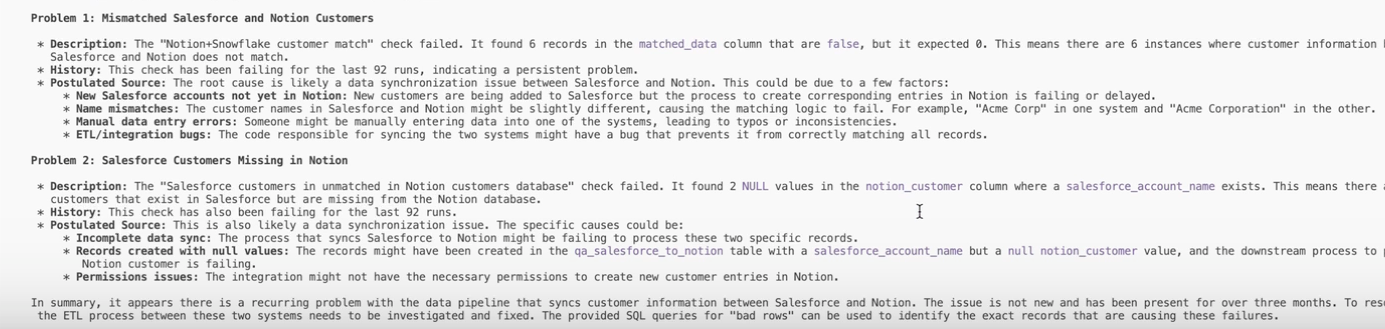 Sample findings from a conversation through the Anomalo data quality extension for Gemini CLI
Looking ahead
This launch focuses on identifying and explaining data quality issues in natural language. With this release, you can run data quality checks, investigate pipeline issues, and fix problems through natural language in Google’s Gemini CLI.
Build smarter, test faster, trust your data
AI agents like Gemini CLI are changing how engineers build. By bringing Anomalo’s data quality checks into that loop, we’re helping to ensure those systems are intelligent and reliable.
Explore how AI-driven data quality fits into your development workflow. View the announcement in the Gemini CLI GitHub repo, watch the demo video, and install the Anomalo CLI extension. Visit our Google Cloud page to learn more about our integrations with Gemini CLI and beyond.
Related Resources
Learn more by browsing our library of announcements, guides, and technical deep dives on data quality.


Ready to Trust Your Data? Let’s Get Started
Meet with our team to see how Anomalo transforms data quality from a challenge into a competitive edge.